Reporting & Analytics —
Every insight your business needs
14 built-in reports covering time, productivity, finance, attendance, and compliance. Export to CSV, share with stakeholders, or surface the data your next business decision depends on.
Start Free Trial14 reports. Every angle covered.
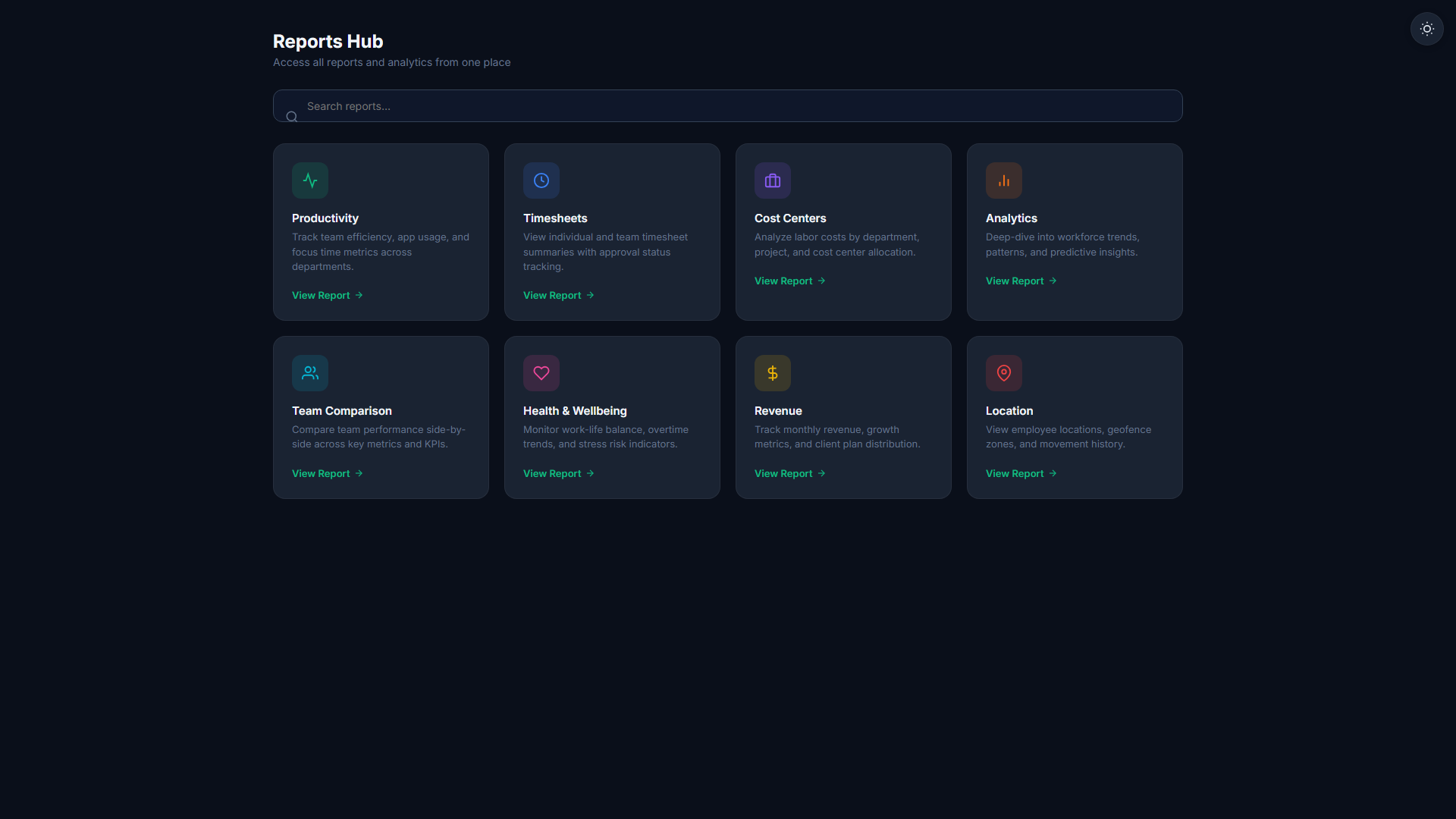
Reports Dashboard
All 14 reports organised by category — Time, Productivity, Finance, Compliance. One screen to rule all your data. Filter by date, team, or individual before you even open a report.
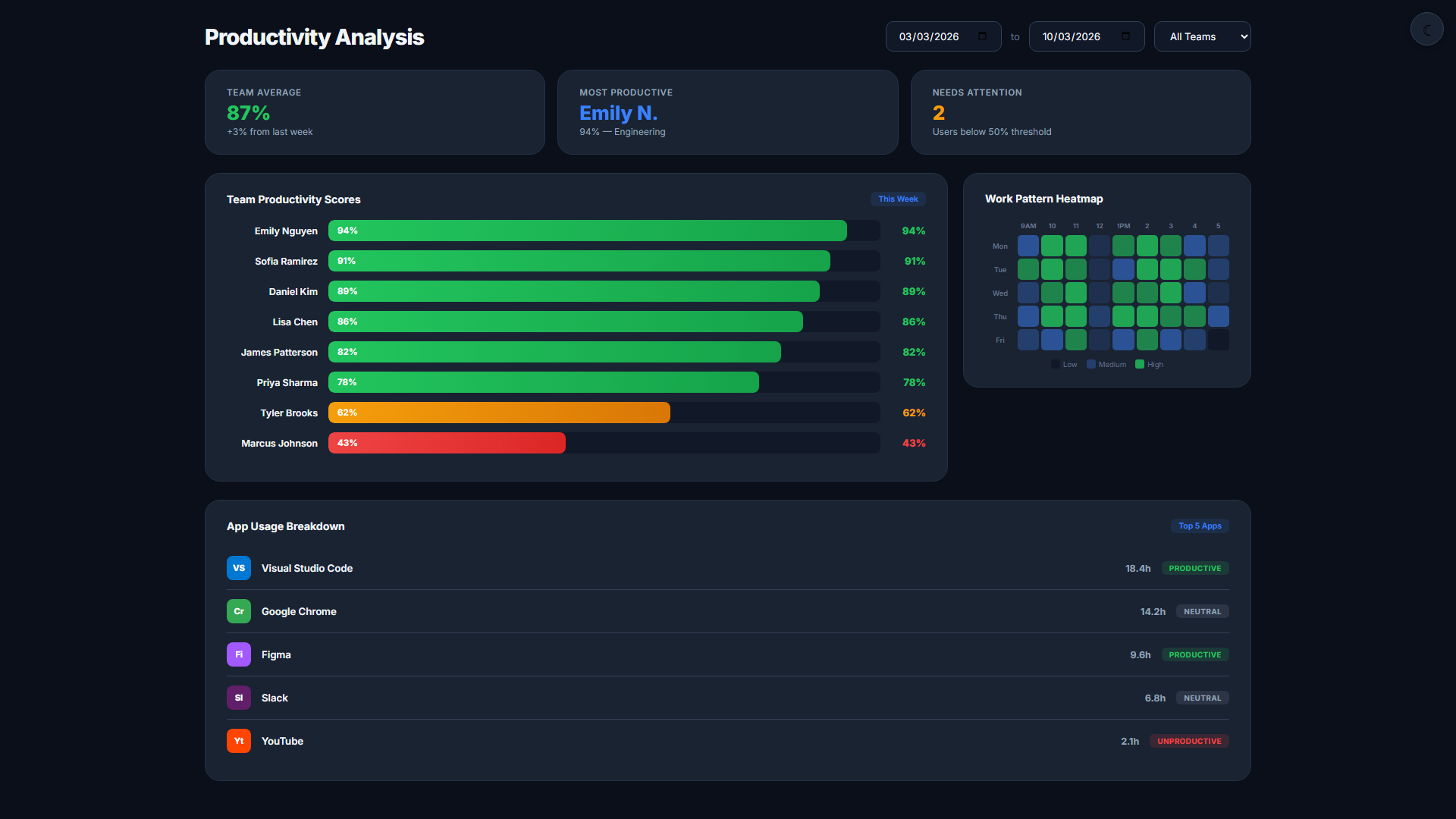
Productivity & Wellbeing Reports
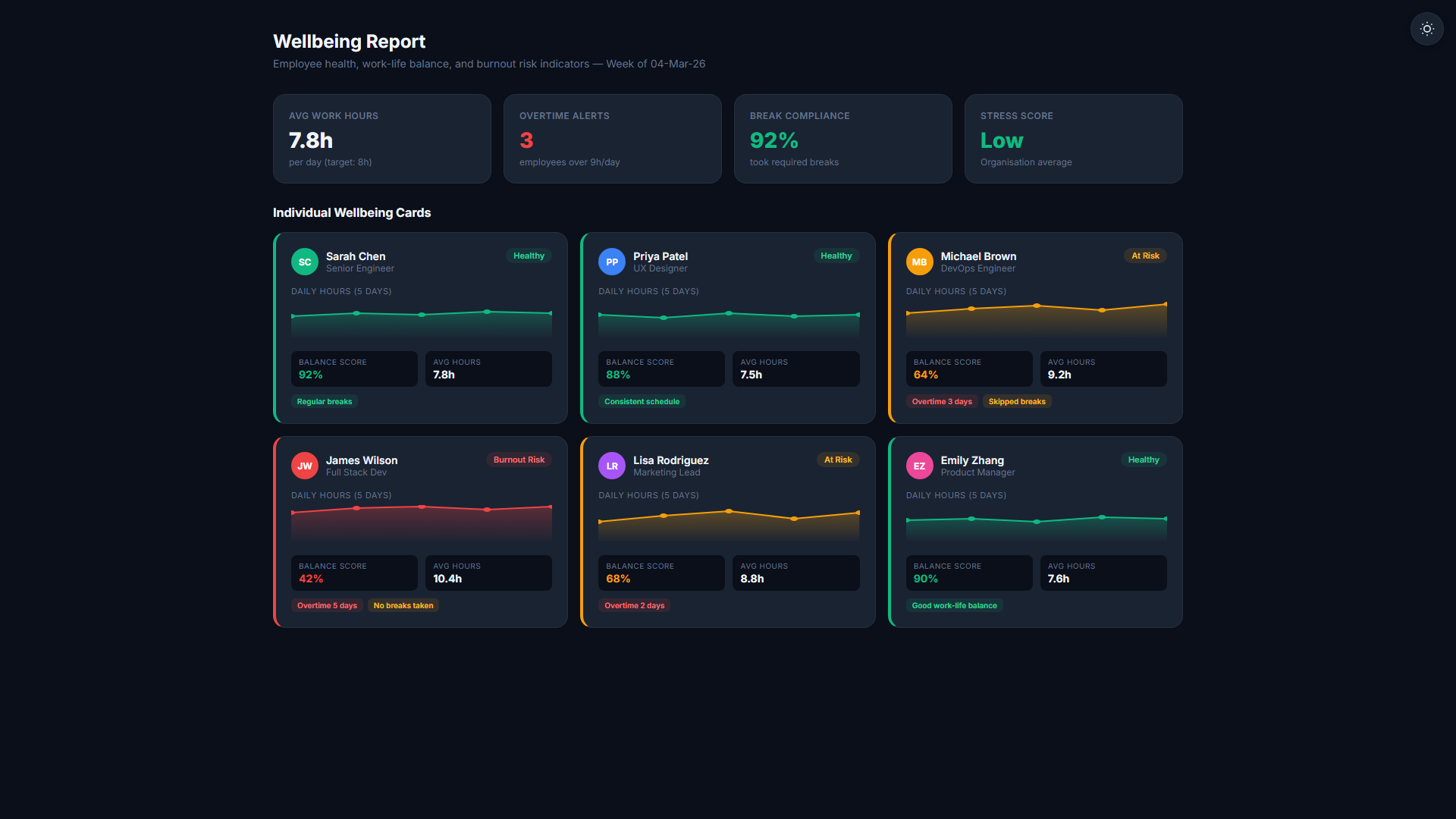
Activity scores, focus time, application usage breakdowns, and wellbeing indicators. Identify burnout risk before it becomes a retention problem. Benchmark individuals against team averages.
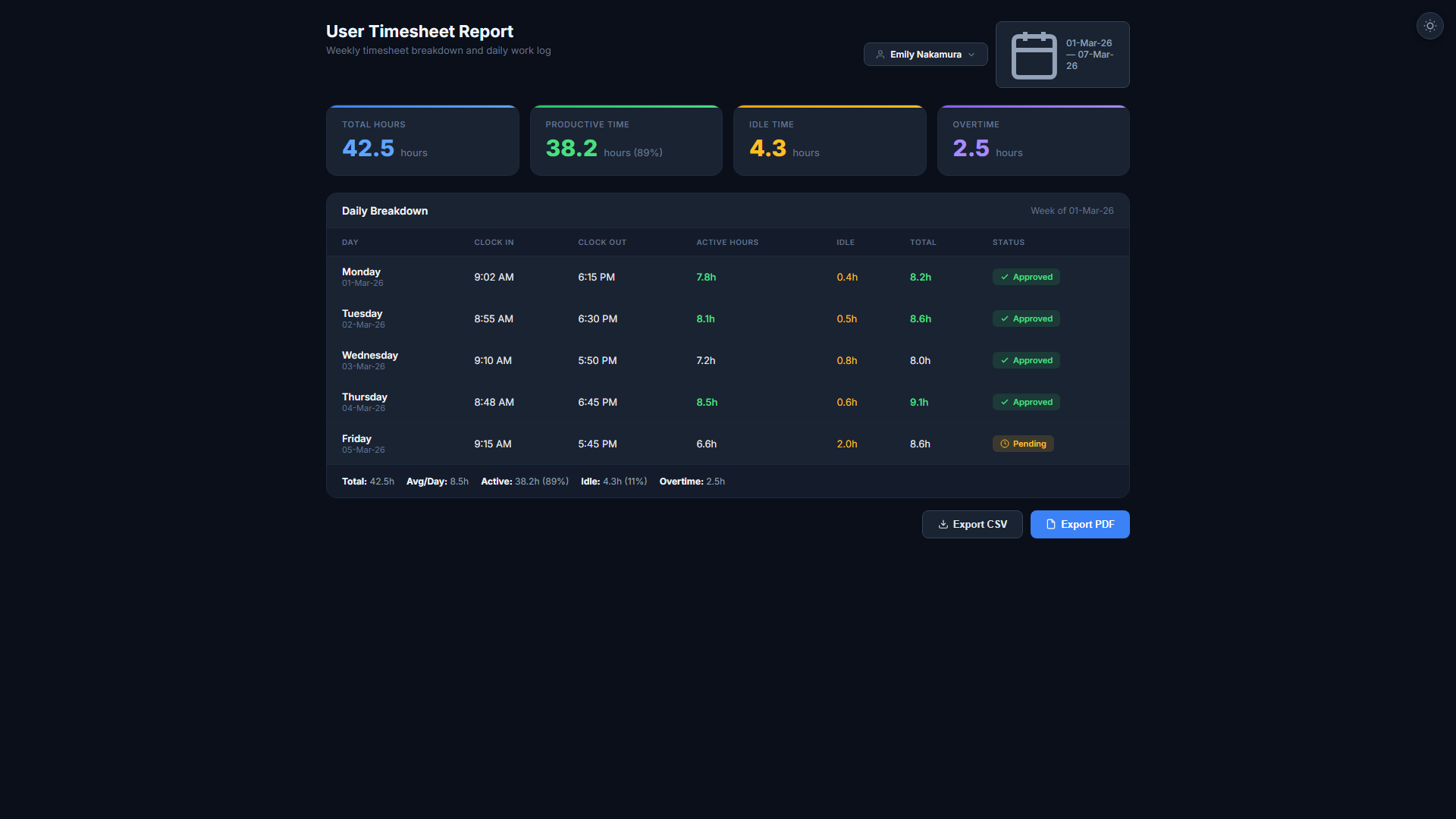
Time & Attendance Reports
User timesheets, team timesheets, project timesheets — each filterable by date, team, or role. Late arrivals, overtime patterns, and attendance trends visible at a glance.
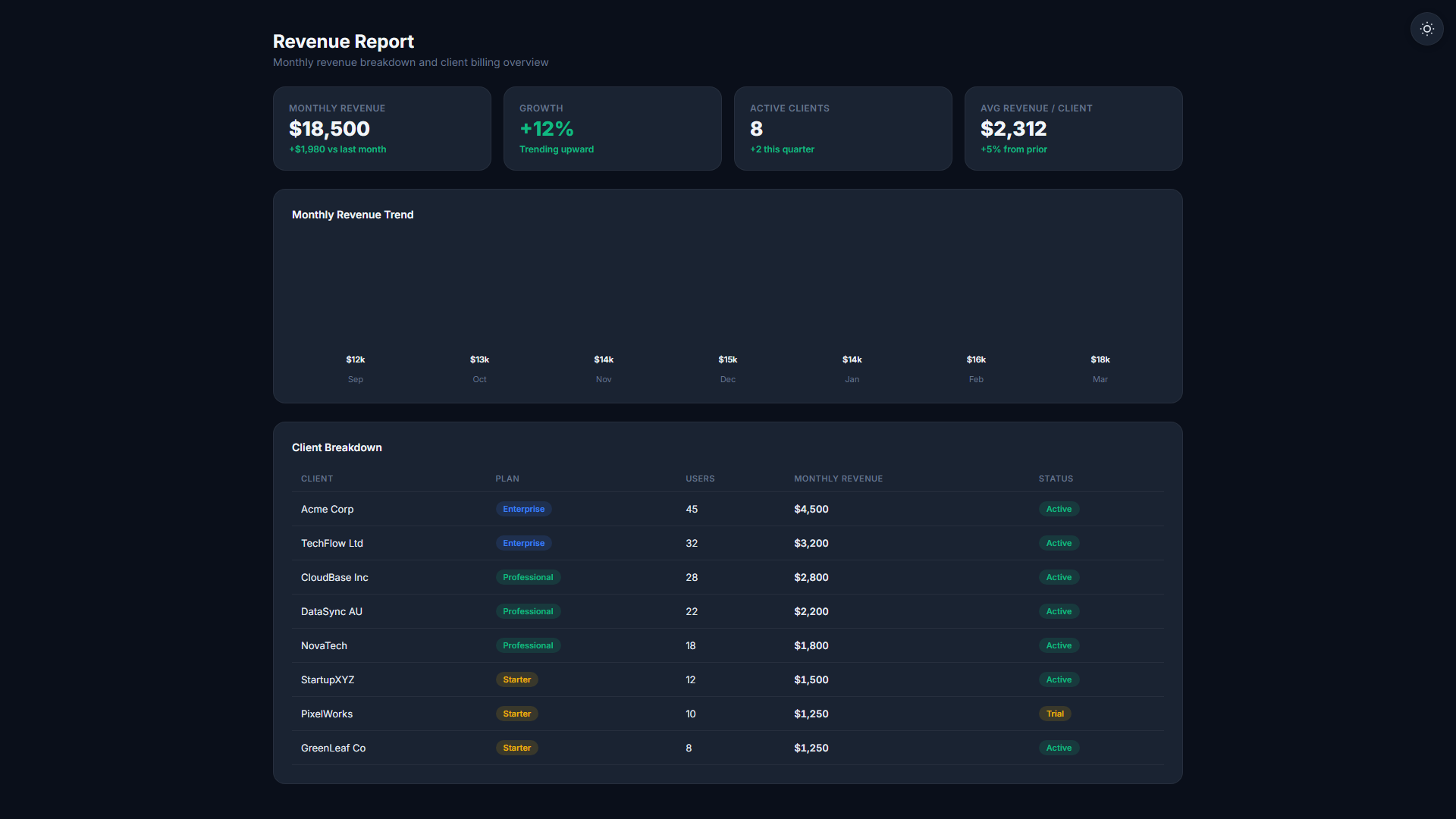
Financial Reports
Revenue, cost centres, user costsheets, and project margins. Full cost centre reports require per-project cost centre assignment (Auto-Assign OFF). When Auto-Assign is ON, financial reports show aggregate data in a single bucket. Full financial reporting is available on Professional and Business plans only.
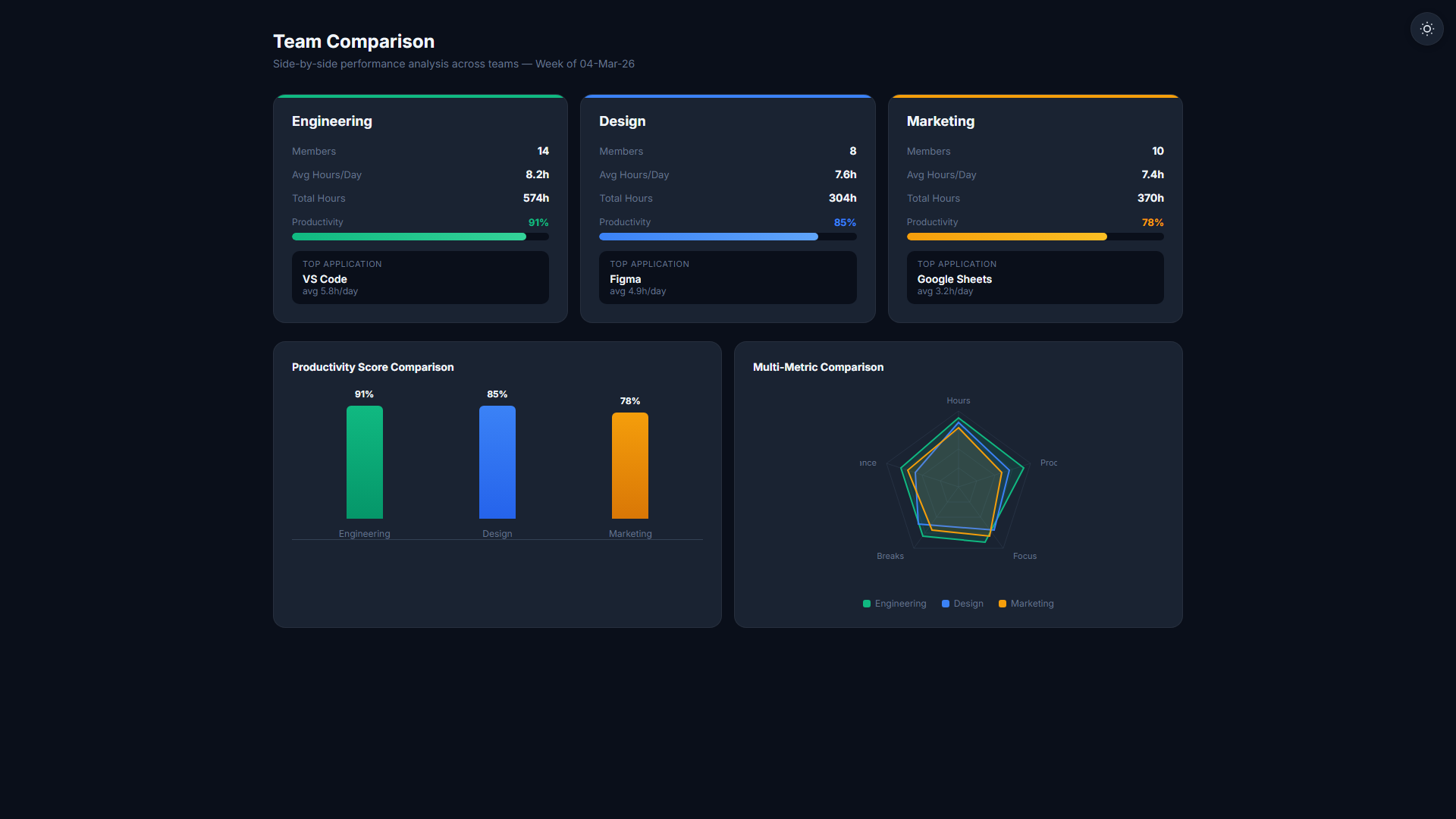
Comparison & Benchmarking
Compare any two periods, teams, or individuals side by side. Surface who improved, who declined, and where your strongest performers are concentrated.
Automation Health Reports
Know which agents are active, which employees haven't connected recently, and where monitoring data might have gaps. Keep your monitoring infrastructure fully operational.
Every report, every category
- User Timesheet
- Team Timesheet
- Project Timesheet
- User Productivity
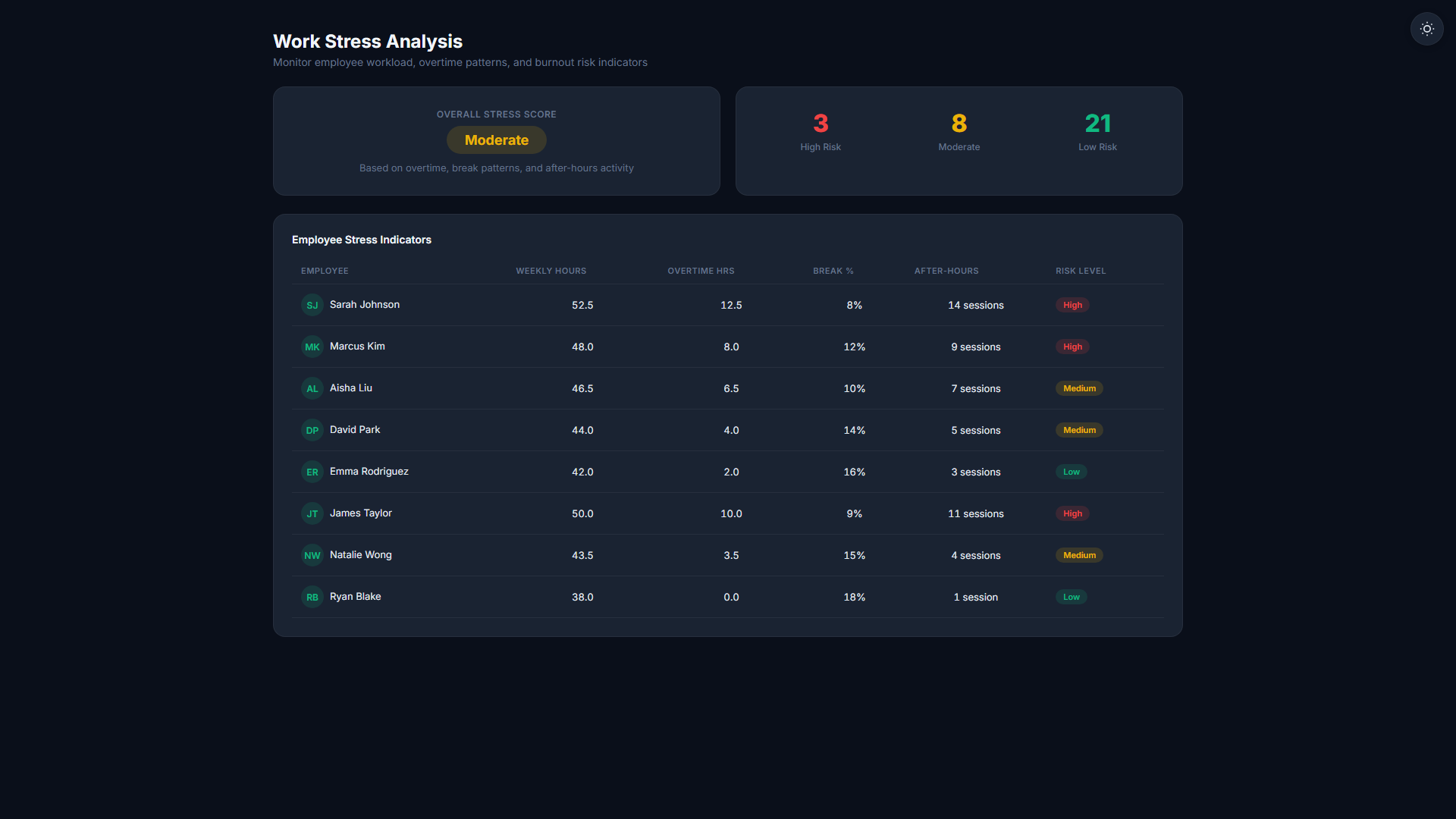
- User Stress & Wellbeing
- Task Performance
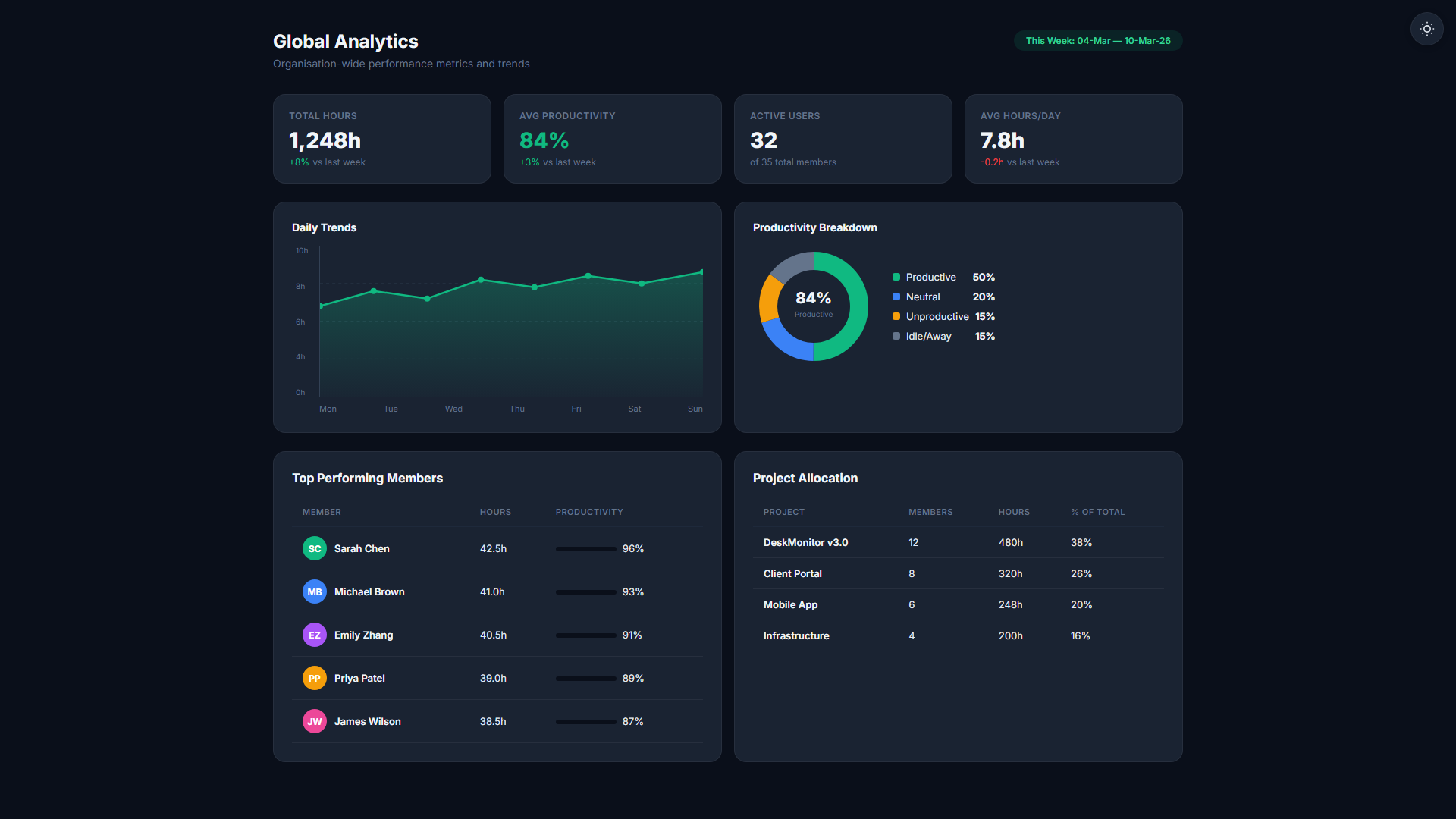
- Analytics Overview
- Comparison Report
- Revenue Report
- Cost Centres
- User Costsheet
- Location History
- Automation Health
Know where every dollar goes
TheDeskMonitor supports two independent financial paths: internal budget management via cost centres, and external client billing via invoices. Use one or both depending on your business needs.
- Revenue Report — Total revenue by client and project over any date range
- Cost Centres — Fund balances, deposits, debits, and per-project cost breakdowns
- User Costsheet — Hours worked multiplied by each employee's hourly rate
- Project Margins — Client billing revenue minus internal delivery cost per project
Full cost centre reports require per-project cost centre assignment (Auto-Assign OFF). When Auto-Assign is ON, all costs appear in a single "Operations" bucket.
- Generate invoices from approved timesheets — no cost centre required
- Supports hourly and fixed-fee billing models per project
- One invoice per client per period, covering all their projects
- Track invoice status: Draft, Sent, Paid, Overdue
Invoicing works on every plan, including Community and Starter. Small teams can track time and bill clients without needing cost centres.
Data that tells the full story
- 14 built-in reports — no configuration needed
- Filter by user, team, project, and date
- Export every report to CSV in one click
- Role-based access — each person sees only what's theirs
Related Features
Start your 14-day free trial
No credit card required. Core reports available on every plan.
Start Free Trial