Remote Employee Monitoring —
Full visibility. Privacy respected.
Give your managers the data they need to lead effectively — without turning your workplace into a surveillance state. TheDeskMonitor tracks what matters for work, respects privacy controls, and keeps every team member informed.
Start Free TrialEverything you need to manage a distributed team
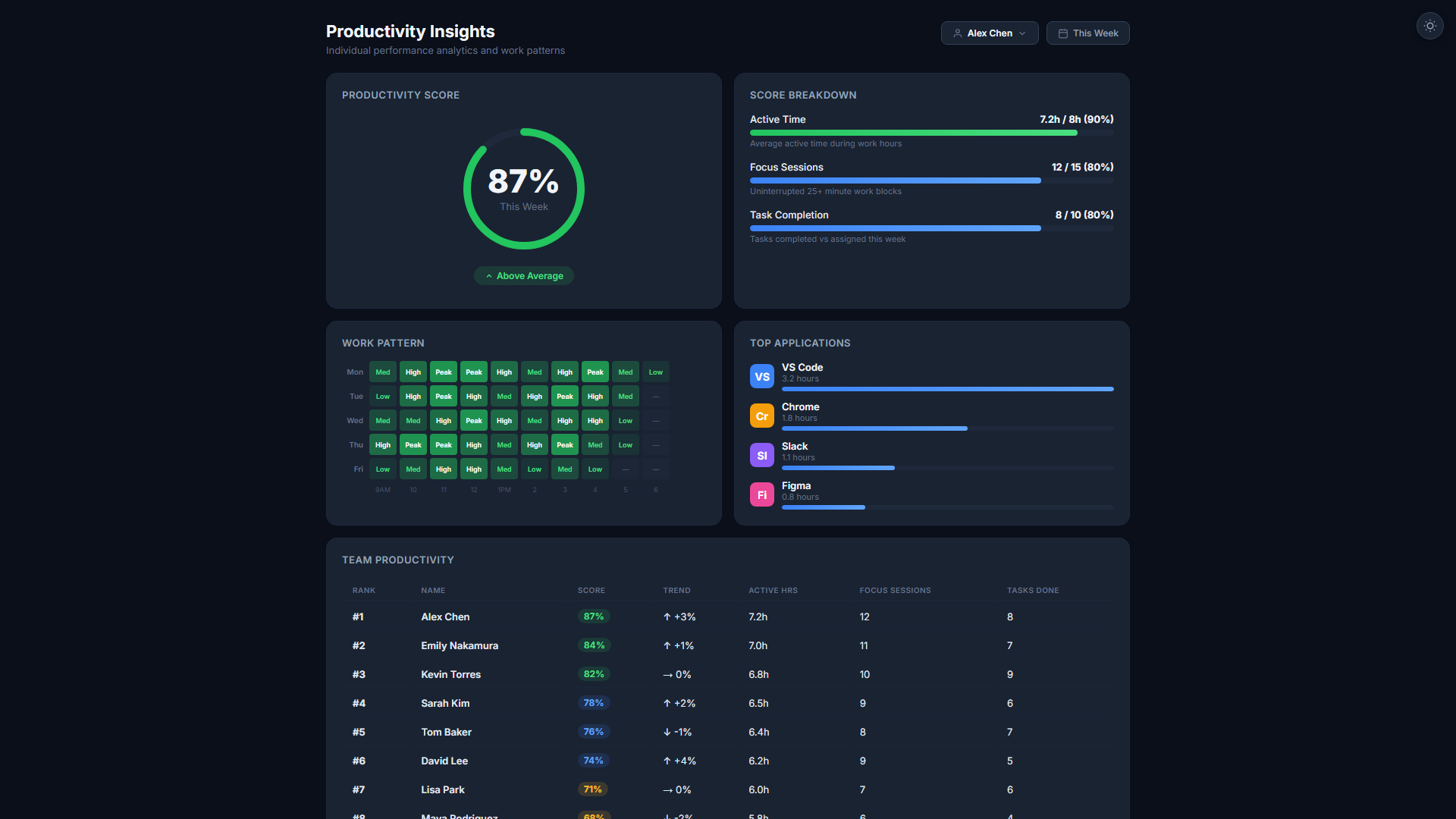
Activity Level Scoring
Keyboard and mouse activity is measured continuously to produce an objective productivity score for every work session — no guesswork, no manual reporting.
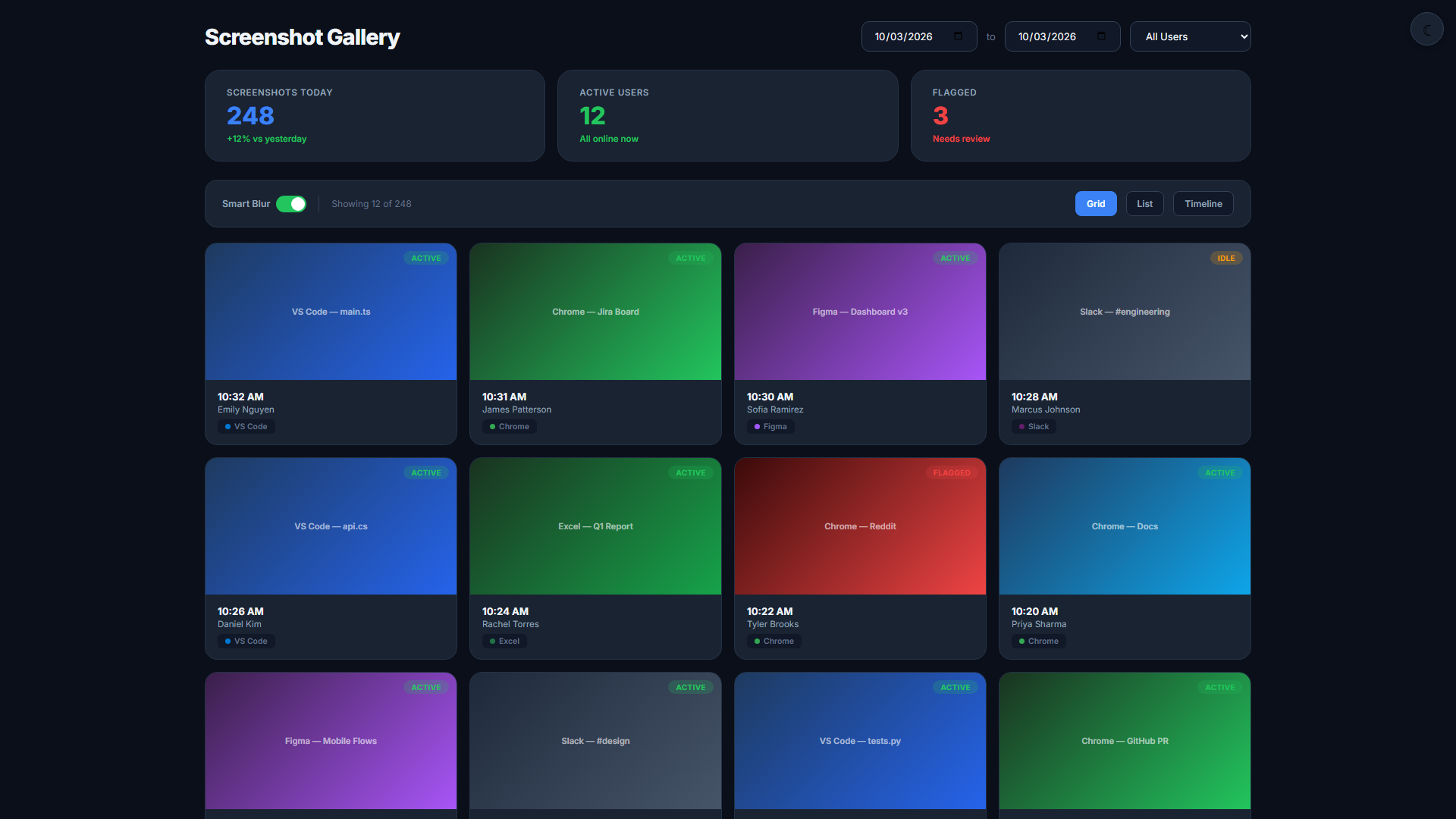
Periodic Screenshots
Configurable screenshot intervals (every 5–30 minutes) give managers a visual record of work. Smart Blur automatically redacts personal information before storing.
App & URL Tracking
See which applications and websites are used during work hours. Classify apps as productive, neutral, or distracting — reports adapt automatically to your definitions.
Live Screen View
Watch active employee desktops in real time from the manager dashboard. Useful for support sessions, onboarding, and verifying work in progress — all without installing remote-access software.
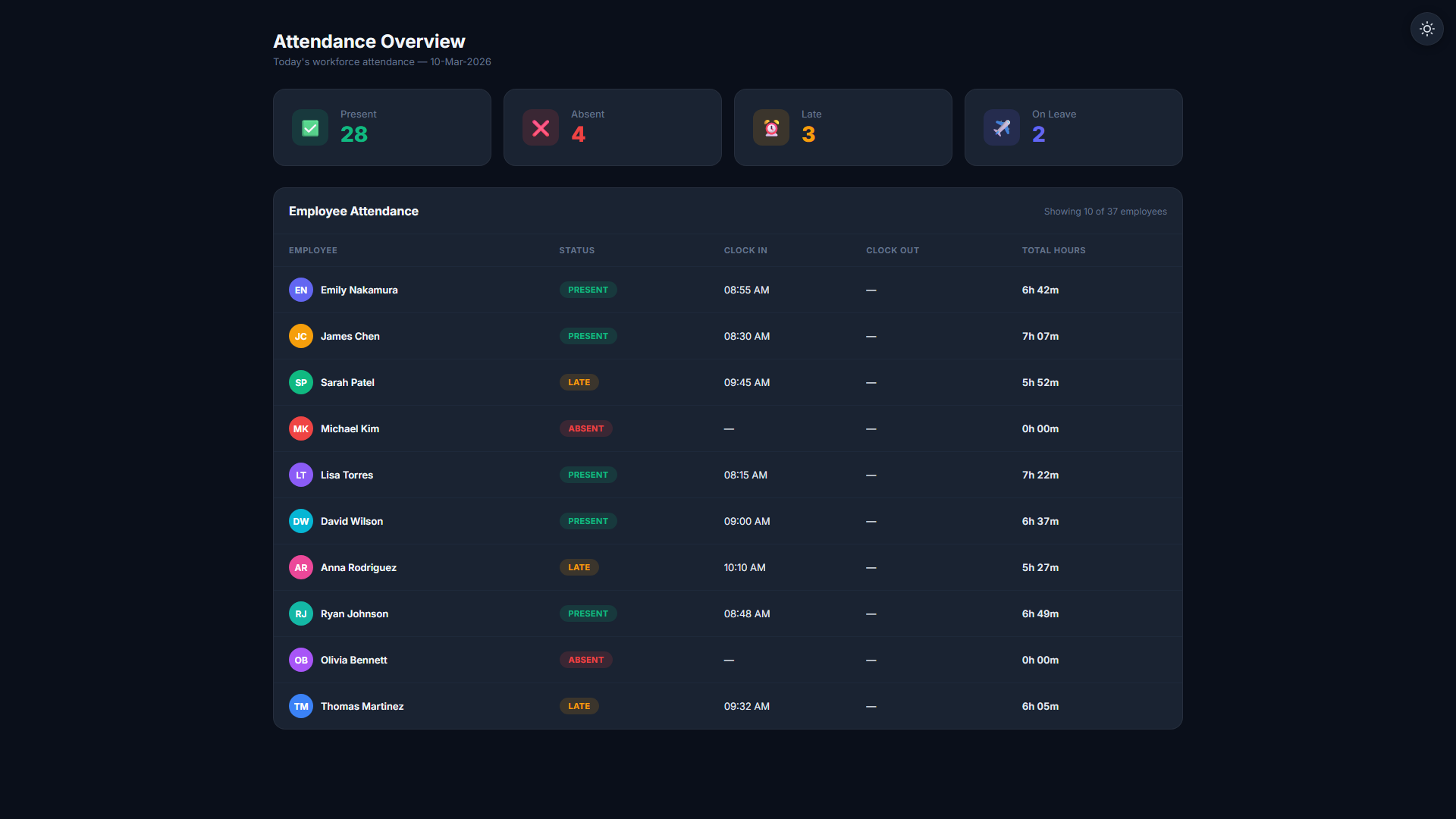
Attendance & Clock-In
Track when employees start and end their day — automatically from agent activity or via manual clock-in. Late arrivals, early finishes, and absences are flagged instantly.
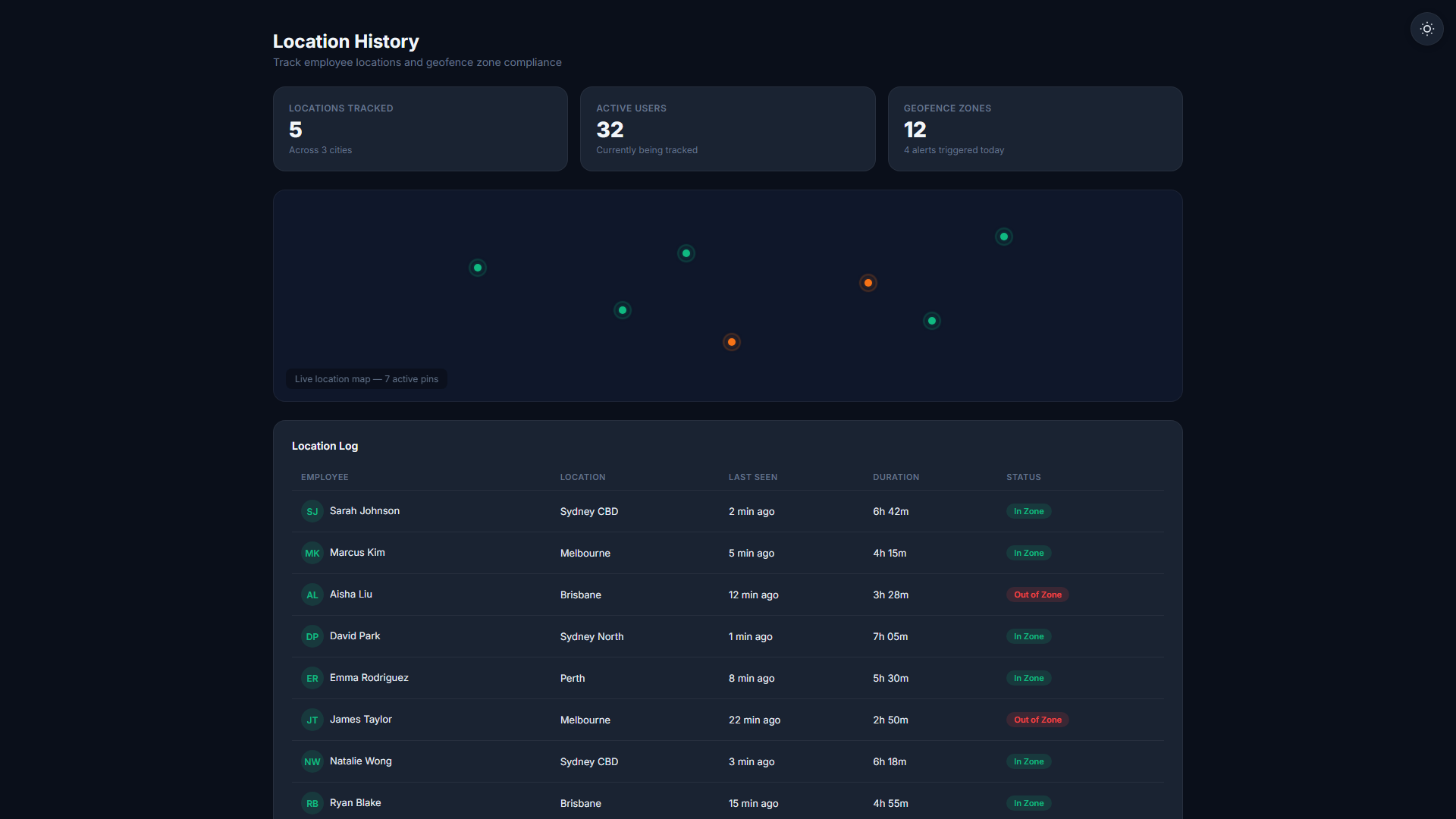
Geolocation for Field Teams
Mobile employees can be located on the map during work hours. Office zone rules ensure desk workers are clocked in from the right location — with configurable radius or polygon boundaries.
Monitoring that employees accept
- Privacy Mode lets employees pause tracking for personal tasks
- Smart Blur redacts sensitive screen content automatically
- Employees can view their own tracking data at any time
- GDPR-compliant data retention policies, per region
- No keylogging — only activity counts, never keystrokes
Up in minutes. Insights for life.
Deploy the Agent
Employees install DeskAgent in under two minutes. No IT department needed. The agent starts monitoring automatically from the first login.
Monitor in Real Time
The live dashboard shows who is online, what they are working on, and their current productivity level — updated every minute without any manual action.
Act on Insights
Weekly and monthly reports surface trends, flag outliers, and give managers the data to have informed 1-on-1s — without gut-feel or guesswork.
Related Features
Start your 14-day free trial
No credit card required. Full monitoring features on every plan.
Start Free Trial